My Honest Review of ActiveCampaign
This page contains affiliate links. When you click on and/or make a purchase through an affiliate link on this site, I may receive a small commission or other form of compensation at no additional cost to you. Please assume that any links contained on this website are affiliate links. Read my full disclaimer here.
If you’ve read my guide for choosing an email platform, you already know that I love ActiveCampaign. Now it’s time to dive into a few more of my favorite features, as well as review some of the downsides of the platform. Let’s begin!

Reasons to love ActiveCampaign…
Includes a Full CRM
Occasionally I’ll hear people refer to their email marketing platform as a CRM (customer relationship management system) and, in many cases, it’s simply not true. CRM functionality is completely different than email marketing functionality. Whereas as email marketing focuses on automations, email blasts, and tagging, a true CRM tends to have more focus on workflows, collecting custom data, using pipelines, and individual users tracking their customer relationships (such as sales reps tracking their leads).
ActiveCampaign gives the best of both worlds with email marketing and CRM functionality with their Plus level membership and above. While you may not need most of the specific CRM functionality, a major benefit of the option is that the system was built to handle LOTS of custom data fields in addition to tags, all without slowing down the system.
Oftentimes we don't see custom data as necessary... until we need it. As your email marketing efforts continue to grow, you will want to collect more custom information about your email list so you can send targeted emails.
The goal of email marketing is always to send the right information, to the right people, at the right time. The only way this works? Have the right data.
Tons of Integrations
Are integrations really that important in marketing? YES!
When I’m scoping out an email marketing platform for a business, one of the biggest questions I have is: what other technology platforms are you using? Taking a holistic approach to planning all of your technology and making sure it works together makes it much easier down the line.
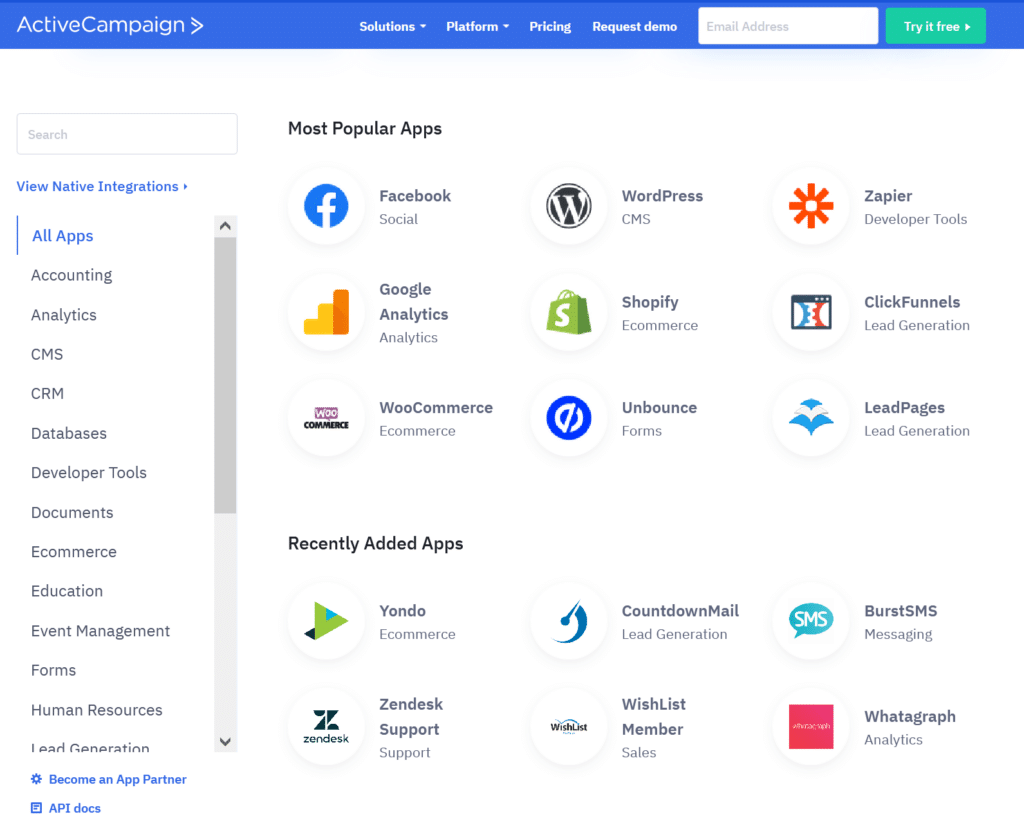
The good news with ActiveCampaign is that is has so many integrations options that, it likely integrates with the technology you are planning to use (but still double check). While I love Zapier and the ability to connect platforms that don’t have a native integration, depending on a third party connector early in your marketing journey can become costly quick. It’s okay when you have a small number of subscribers and connect via Zapier, but what if you had 50 new subscribers per day and integrations with three other systems? Yikes! Unless that’s in the budget, it’s a costly monthly subscription you probably weren’t planning on.
A system like ActiveCampaign makes scaling with new technology simple with their integration options. And, if they happen to not integrate, you still have the option of using Zapier if needed.
Subscriber Organization
You may have noticed that the general theme of ActiveCampaign is flexibility, and it’s no different when it comes to organizing your contacts. In this system, you can organize your contacts in so many different ways, it is absolutely incredible.
Other platforms have some of these options for contacts, but ActiveCampaign includes them all. Even better is that it feels like a cohesive structure.
Lists
The top level organization for ActiveCampaign contacts is by list. This is a straightforward way to take large groups of contacts and keep them separate. This is the perfect solution if you have two completely different audiences inside the same email marketing platform and want to make sure you don’t accidentally co-mingle the groups. Or you can allow people to be on multiple lists and easy subscribe/unsubscribe to different topics.
Generally speaking, lists are to track an overall interest or group, not detailed information. You should have relatively few lists.
Tags
To start narrowing down your audiences in lists, we start adding tags.
A question I get a lot is: what are tags? Tags are simply a way to mark certain characteristics of your email subscribers. They are extremely flexible and you can add and remove them as needed. A few different ways I use tags are to track interest in a certain topic, see who made a purchase, triggering an automation, and so much more.
There are a lot of tag based systems out there so it might be something you’ve encountered before. If not, it might take time to find your flow with tags but, once you do, they are a powerful tool.
As you're getting started with tags my recommendation is, when in doubt, make a tag! And ActiveCampaign makes it really simple to add and manage tags.
Custom Fields
One of the best features of ActiveCampaign’s data management is the way they handle custom fields. As described above, since it is also a CRM, the custom fields are more defined than a simple email marketing platform and extremely flexible.
The one option I use a lot is the date field: you can create a custom field (e.g. “Subscription date”) and the system recognizes it as an actual date (instead of a text field). What this means is that you can trigger an automation from a custom field. For example, you can start an automation one year after a contact’s subscription date. It might not sound exciting yet, but once you use a platform that can’t do this when you need it, you’ll be just as excited about the functionality as I am!
Custom fields are best for data that is unique to individuals. For example, a product purchase date, the name of their company, or their company website URL are all good uses of custom fields because you wouldn't be able to store this information as a tag.
Segments
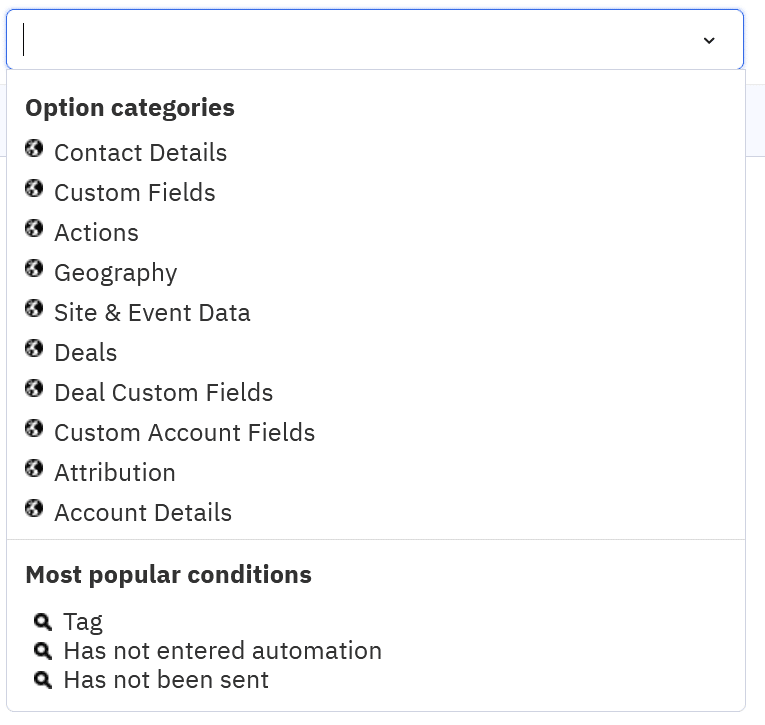
Last on this list, but certainly not the least, are segments. The segment builder takes all of the data in a contact record including lists, tags, custom fields, which emails they opened/clicked, which automations they are currently in, location, and everything else inside of ActiveCampaign and allows you to create a super targeted group from your subscribers.
This is how you start to send the targeted messages, instead of blasting your entire list with the same content.
Easy to Use Email Builder
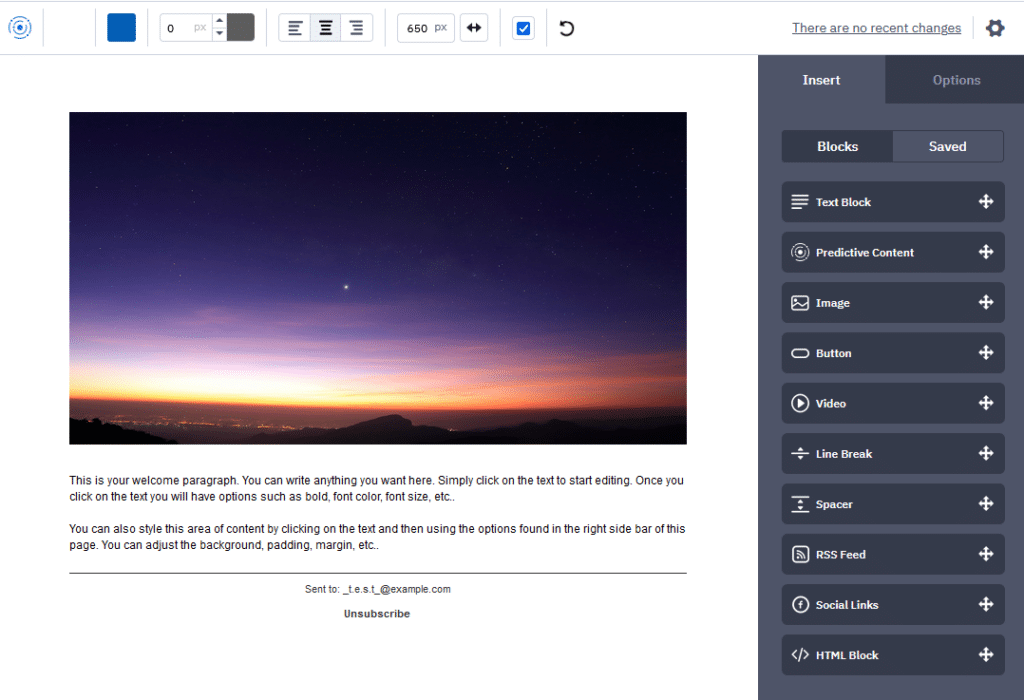
ActiveCampaign uses a block style email builder. If you’ve used other email platforms, you’ve definitely run into this before. All of the different types of “blocks” are in a menu on the right and you simply drag-and-drop them into the body of the email. Quick and easy!
Like all platforms, I never recommend copying and pasting email content from a word processing software like Microsoft Word. If you do, ActiveCampaign does get a few quirks in the content with hidden style tags you can’t see. No worries though! If this happens, delete the block and add a new one to use… only this time, make sure to copy your content into something like Notepad which will clear all of that hidden formatting.
Email Templates
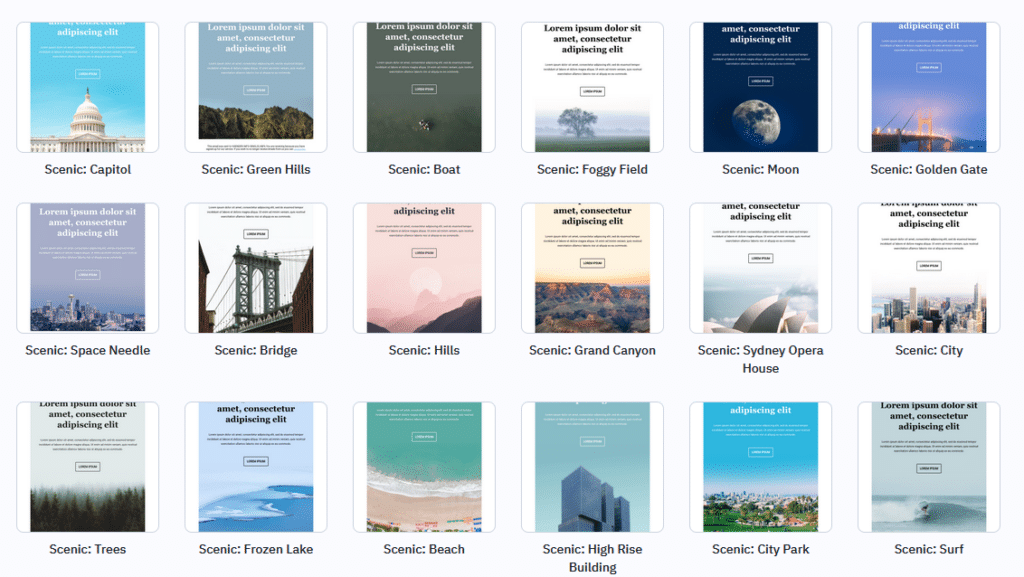
Even though they have a great email builder, you don't have to start from scratch each time! There are tons of pre-designed email templates for you to choose from to get started. This is a perfect way to find your style.
Once you have designed your own emails, you can also create your own custom templates or simply select a previous email campaign as a starting point for your new email. These are immense time savers and will help you keep your email designs consistent. Make sure to use these features!
Flexible Automations
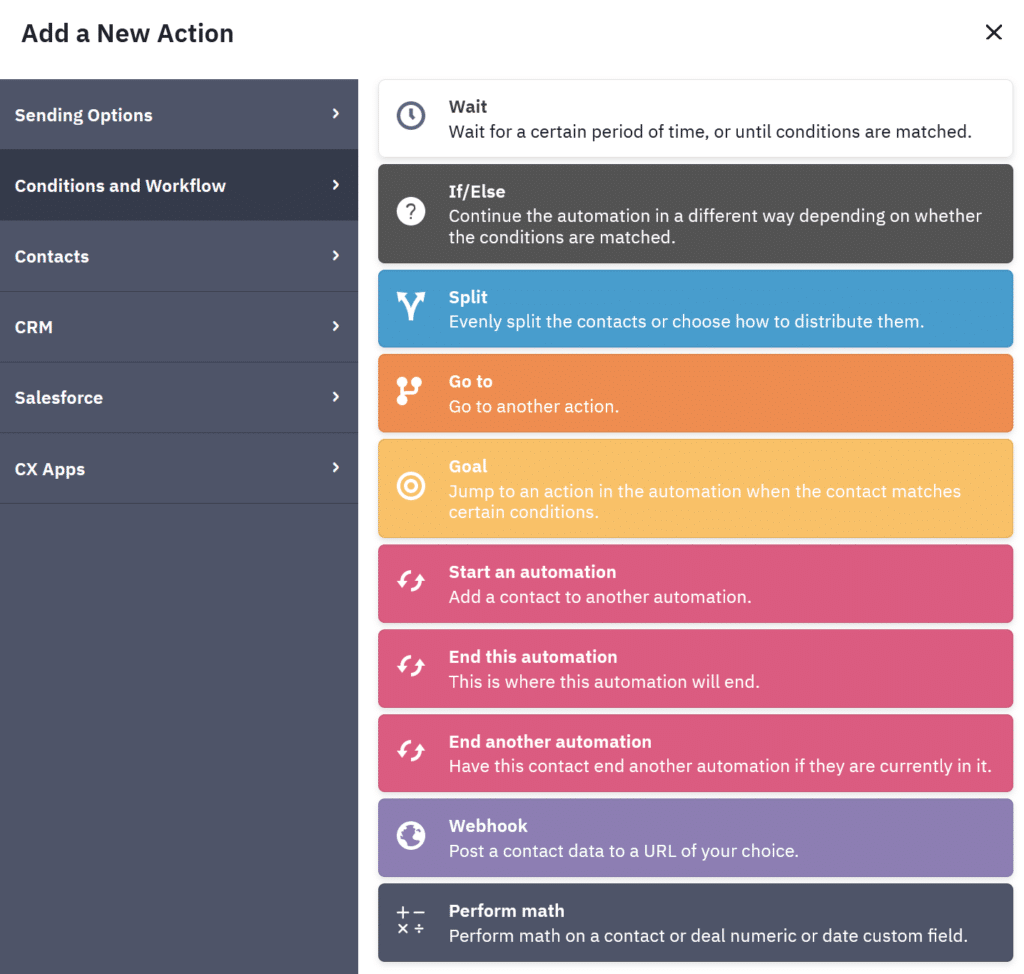
ActiveCampaign has, by far, one of the most robust automation builders. When I’m looking to automate a process or tracking inside of this system, it’s not a question of IF it can do it, it’s a matter of HOW it can do it. Sometimes you have to get creative with the flow, but you can do so much!
Instead of looking at automations as a feature you need to learn, I typically approach them as a logic puzzle. For example, I have two segments of people and I want them to receive different emails. In this example, my question is: how do I identify these two groups so that I can separate them?
Using ActiveCampaign, you can filter by a seemingly unlimited amount of data in an automation:
- Tags
- Lists
- Data fields
- If an email campaign was received, opened, or clicked
- Current status in other automations
- Sign up date
- Information from integrated systems
Once I have the answer to how I can use the data to identify my segment, my next is: where in the automation builder can I use this data to get my desired outcome?
When approaching automations this way (thinking through the logic/data first then building), it gives you the right frame of mind to search through the options to get your desired outcome, instead of seeing the options and potentially limiting yourself to what you see.
A little less love for ActiveCampaign because…
Steeper Learning Curve
All of this functionality sounds great… but how do you learn it all?! This is one of the reasons I typically don’t recommend ActiveCampaign for business owners that are just getting started with email marketing.
If you are trying to learn the guiding principles of email marketing in general, plus writing email content and designing your member journey, the last thing you need to add is to learn an email marketing platform with options and settings galore.
Even the best technology (and ActiveCampaign is pretty amazing) is useless if you aren't able to use it. So if you're just beginning email marketing, I recommend that you check out a system like MailerLite. When you're ready to take your email marketing to the next level in automations, then circle back to ActiveCampaign.

So. Many. Details.
Along the lines of a steeper learning curve, there are so many details that you can edit inside of ActiveCampaign. This is a positive, because you can make the platform do exactly what you’re looking for, but also a negative, because it’s easy to forget where to find various settings to make a small change.
Even though I work in ActiveCampaign all the time, I certainly can’t remember all of the details! Luckily, there’s an extremely robust documentation section which I don’t mind searching. However, I typically know what I'm searching for, which helps make it a quick refresher. If you don’t know the name of what you’re looking for, it can be hard to find a quick answer and you might find yourself in a documentation rabbit hole.
Can be Difficult to Troubleshoot
Another downside to having a lot of functionality is when it comes time to troubleshoot an issue. Maybe someone got an email they shouldn’t have or missed out on an important email because they weren’t in the correct segment. These things happen from time to time, even in the best designed email marketing system.
If you’re using ActiveCampaign, you probably use a lot of the functionality: lists, tags, automations, site tracking, integrations, custom settings… that’s a lot of places to look if something isn’t working properly!
Overall Review of ActiveCampaign
As you can see, ActiveCampaign is a phenomenal email marketing platform with a robust feature set. It’s a platform that you can truly grow into, whether you are starting with a list of zero subscribers or transferring a list of 100,000 from another system.
Before jumping onto this platform, my one caveat is that it’s not for the faint of heart when it comes to technology. Although it’s a logically structured platform, there’s definitely a learning curve, especially if you’re new to email marketing. If you’re running your business yourself, are new to email marketing, and looking for a quick set up, ActiveCampaign may not be the best fit. But if you have the time to learn the features and work with either a member on your team or an email marketing freelancer, it’s a platform to truly optimize your emails.
So, what do you think? Are you ready to sign up for ActiveCampaign?
If you're not sure, check out my reviews of two other great systems, MailerLite and ConvertKit!